How your browser actually finds a Website?
A really common questions everyone might think about is..
How and Where Does My Browser Go When I Type a Website Name?
Have you ever paused for a second and wondered what really happens after you press Enter on a website link? You type a few letters, and boom… a whole website loads from somewhere in the world. It honestly feels like magic. That system is called DNS (Domain Name System).
What is DNS?
Think of DNS as the internet’s contact book. Humans are great at remembering names, like google.com, but computers only understand numbers, called IP addresses (like 142.250.198.78). DNS exists to connect the two.
When you type in the name of a website, your browser asks the DNS and DNS performs the look-up and provides your browser with the IP number of the server that maintains that site. the type of record which makes all of this possible is the A Record.
What is A Record?
An A Record, also called an Address Record, is a DNS record that maps a domain name with an IPv4 address.
in simple words: A Record tells the internet which server a website belongs to.
in Basic terms, how does it work?
When you hit "Enter", this what happens in the back:
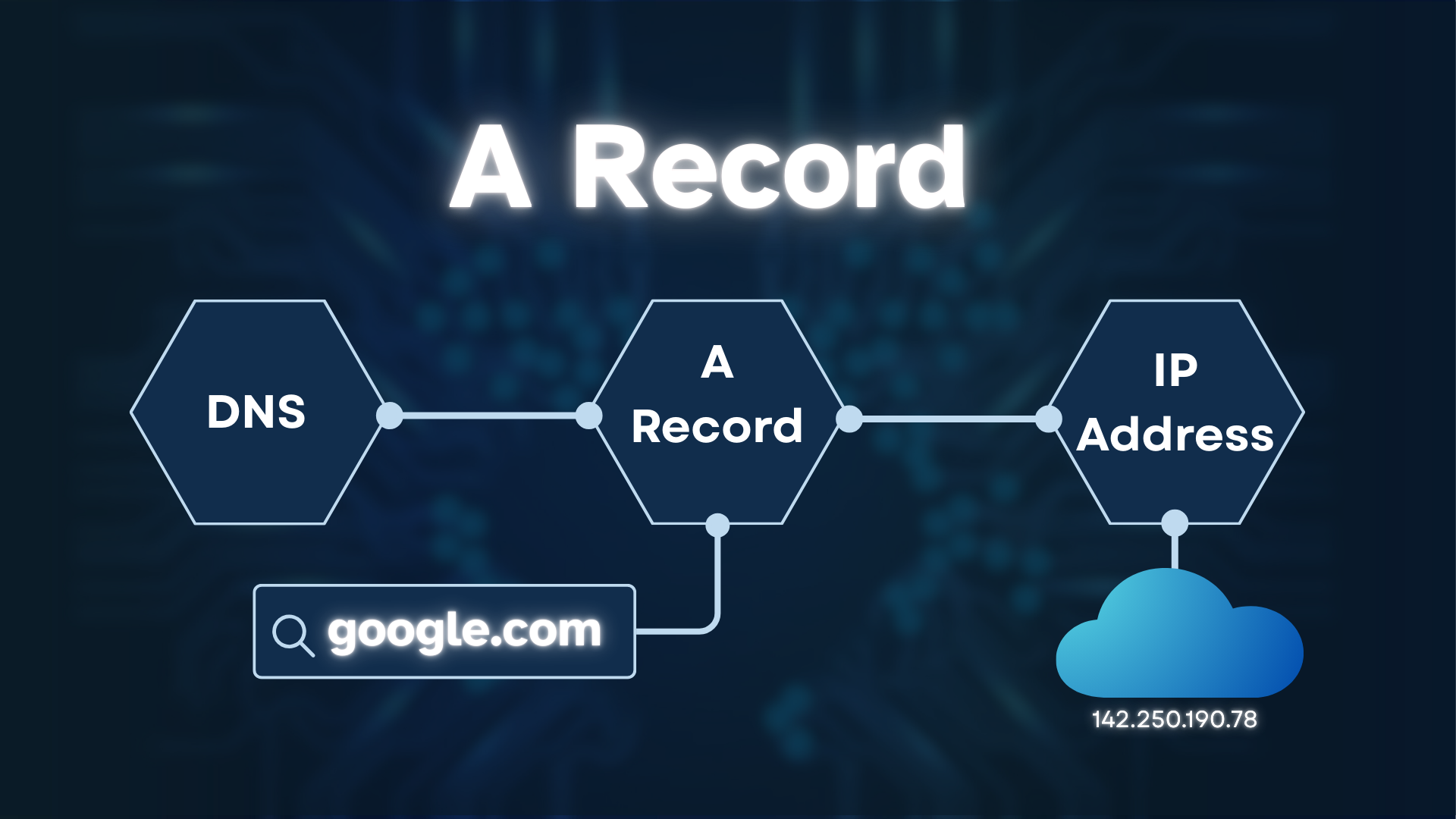
You type google.com. Your browser asks DNS, “Where does this website live?”
DNS checks its records for an A Record—the specific entry that links that name to a number.
DNS replies, “Found! google.com is at 142.250.198.78.”
Your browser now knows specifically which server to talk to, and the page loads.
now, lets just break this thing down:
1. The Language Gap: Names vs. Numbers
The most important thing to remember is that humans and computers communicate differently when it comes to addresses.
Humans are very good with words so that we prefer ‘google.com’ or ‘amazon.com. and on the other hand, the computers understands numbers so they specifically prefers IP Addresses (142.250.190.78).
The Role of the A Record:
The A Record, which is short for Address, is sort of like the universal translator. Its entire job is to connect a domain name to its specific IP address. Without this connection, your browser would be like a tourist in a new city with a map that has no names andyou’d know where you wanted to go, but you have no way of finding the street address.
2. The "Friend" Analogy
To make this even simpler, lets make our friends a example. You probably have dozens of friends. When you want to call "Tanishka," you don't type in her 10-digit phone number every time. You just tap her name.
The Name (Tanishka): This is your Domain Name.
The Number (555-0123-1234): This is the A Record / IP Address.
When you click "Tanishka," your phone looks at its “record" and finds the number attached to that name, and starts the call. The internet does the exact same thing. When you type a website name, so your browser checks the "DNS" to find the A Record (the number) so it can make the call or connection.
3. How A record Works in Real Life
Now in real life, this is how it works:
A user types mysite.com
Their browser asks DNS for the A Record
DNS returns 203.0.113.10
The browser connects to that IP
Your server responds
Your website appears
Conclusion
At the end of this, the internet is a huge library where every single page has a specific number. The A Record is the simple, smart tool that allows us to use easy-to-remember names instead of memorizing strings of numbers.