Understanding Network Devices
Introduction
see, whenever you open a webpage or send a message on any device, it feels so fast. everything’s going on within a single click But behind that simple move, your data travels through several network devices, each with a specific task to do. These devices manage your information before it reaches its destination (request → server) and vice versa.
1. Internet : (knock on the door)
The very first internet reaches your home from ISP (internet service provider) and through chain of connections. From there, it enters your building through a modem, then a router takes this data and sends it to the correct devices inside your network. Switches help manage communication between multiple devices, while firewalls keep everything safe. we’ll take a closer look at each of these devices and understand how they work together to make the internet feel so simple and fast.
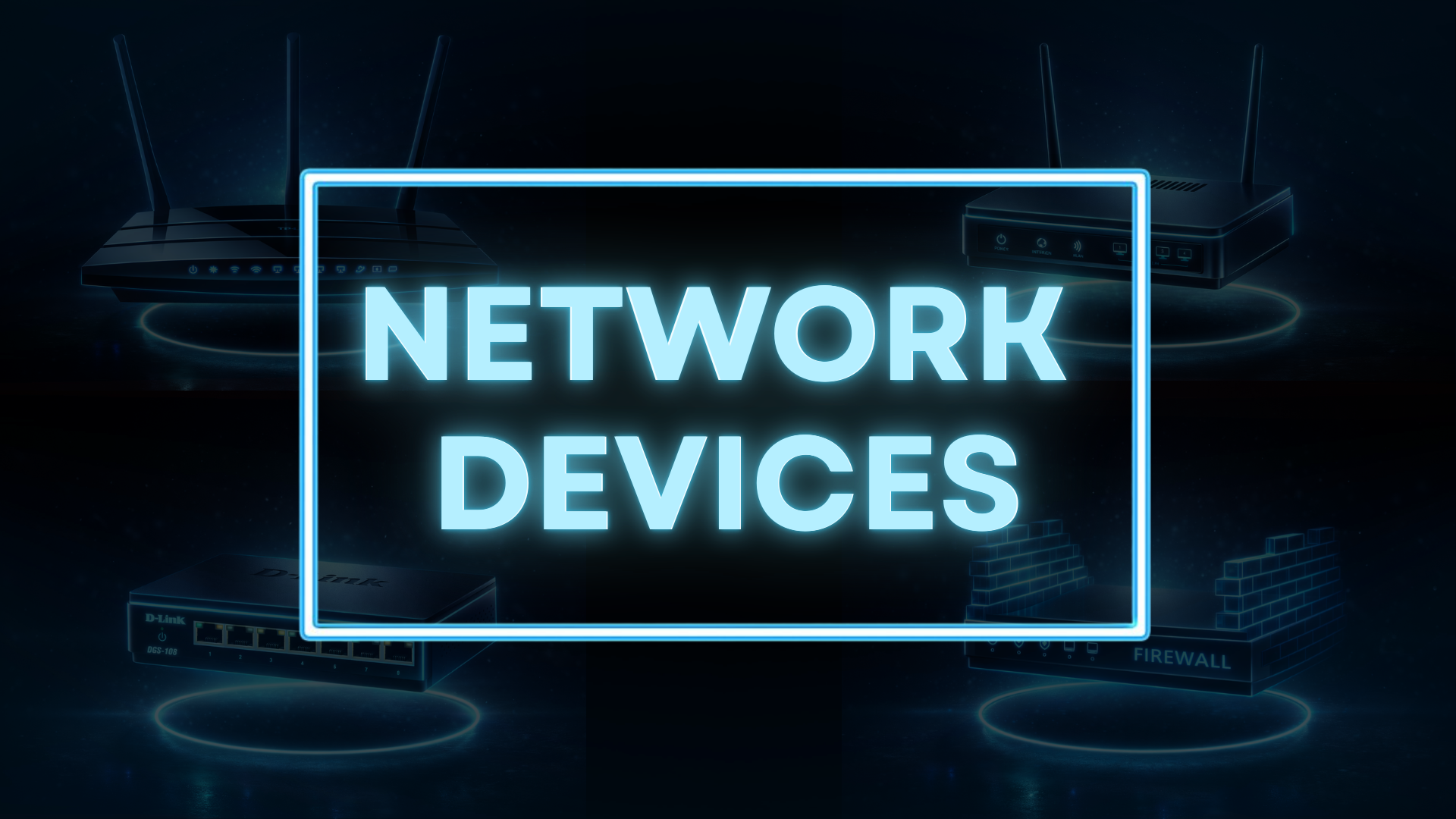
Types of Networking Devices
Basic terms we should know:
what is network: Group of interconnected devices that can share resoucers and communicate with each other.
what is Internet: A global network system connecting multiple networks together.
1. Modem.
its a device that connect our indiviual network to the internet. The word MODEM comes from MOdulator–DEModulator. so its main job is to convert the signals from your (ISP) into a form that your devices can understand, and vice versa. we can call modem as a translator also.
When data comes from the internet, it reaches your modem first. The modem translates that data and passes it to your router. When you send a request (like opening a website), the modem sends it back to your ISP.
2. Router.
Router is a device that sends data to the right device inside your network. Once the modem brings the internet into your home or office, the router takes control. It decides which device should receive which data. If your phone asks for whatsapp and your laptop asks for Google, the router makes sure each request and each response goes to the correct place.
It also creates your local network, assigns IP addresses to devices, connects multiple devices at the same time, supports both wired and wireless connections.
its flow:
Internet → Modem → Router → Devices
How it directs traffic?
when there is some data packets to send to its destination it have destination IP as well, router checks and accordingly send the packets to its respective located device or network.
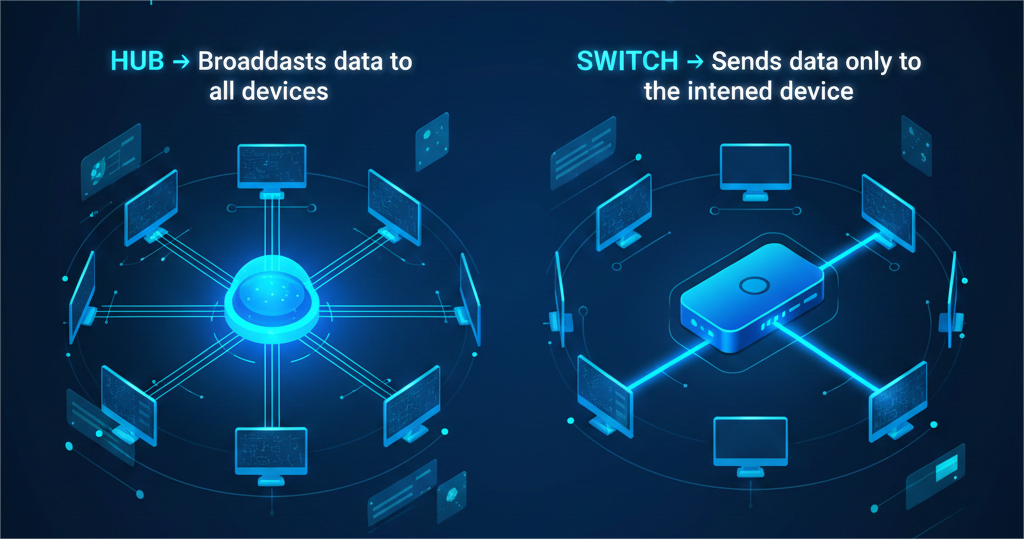
3. Switch Vs Hub
A hub is a basic device. When it receives the data from one device, it sends that data to all connected devices, even if one device needs it.
and this makes the network slower and less secure.
A switch is a smart device. When it receives the data, it checks which device needs and sends it only to that specific device.
This makes communication faster, cleaner, and more secure.
comparison between these two devices:
| Hub | Switch |
| Sends data to all connected devices | Sends data only to the target device |
| Slower communication | Faster communication |
| More network traffic | Less network traffic |
| Less secure | More secure |
| Causes data collisions | Reduces collisions |
| Outdated technology | Used in modern networks |
4. what is Firewall?
A firewall is a security device that sits between your network and the outside world (the internet) and check what data is allowed to enter or leave. Only trusted internet is allowed to enter. Without it, our network is blindly open to any internet.
work of firewall:
It checks every incoming and outgoing packet It follows security rules It protects your system from hackers, malware, and unauthorized access
5. what is Load Balancer?
A load balancer is a device or software that shares incoming work across multiple servers so no single server gets overloaded.
Division of work is done to minimize the server overload.
lets see this example:
when you open a shopping app The load balancer receives your request It checks which server is free It sends you to that server Another user goes to a different server
need of scalable systems
when it comes to scalable systems, they need load balancer to manage all of their users as it have huge no. of users, so load balancer. handle it all by distributing these user/tasks to many servers, minimizing overload. and systems stay fast and stable.
2. How all devices work together
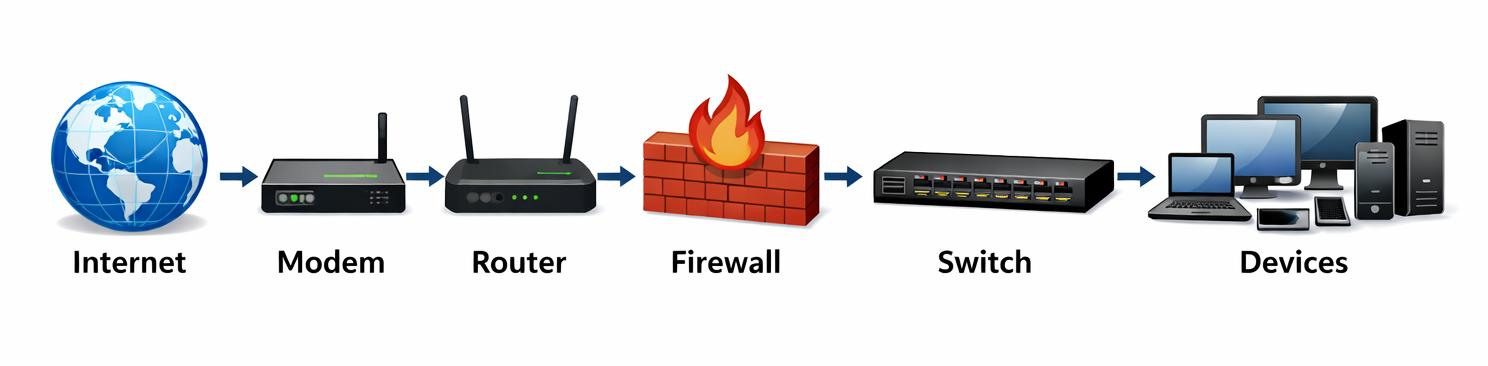
how it works step by step:
Internet
The data comes from the global internet.
Modem
Then modem let the internet flow into your home or office.
translates the data in usable one.
No modem = no internet entry.
Router
The router decides to which device (laptop, phone) the data should go.
Firewall
The firewall checks safety.
Good data → allowed
suspicious data → blocked
Switch
The switch connects all devices inside your local network.
It sends data only to the devices where data is needed. (better than hub).
Devices / Servers
now the data reaches your servers.
3. Real-world setup for a Web Application
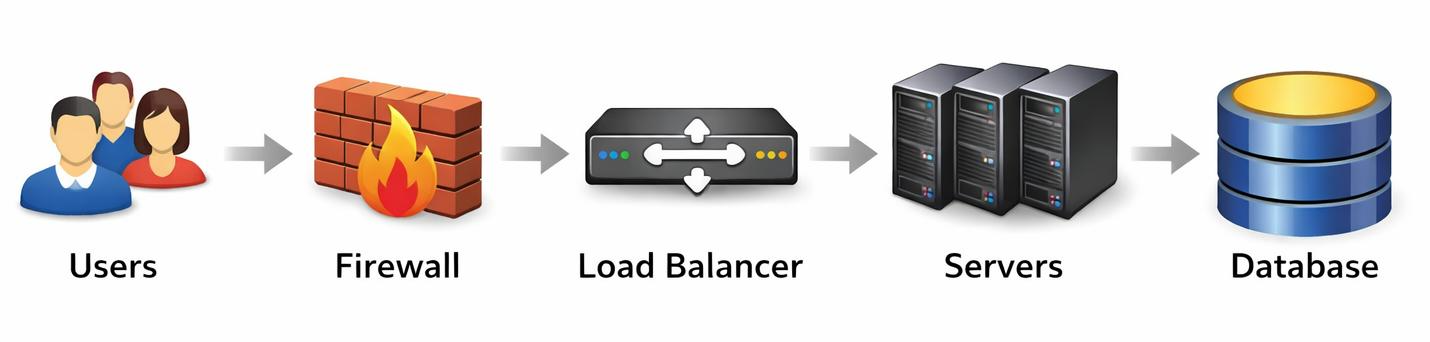
How it works:
User
when user opens a website..
Internet
your request travels through the global network.
Firewall
Ensures safety.
It blocks harmful or unauthorized traffic.
Load Balancer
It receives requests and distributes them to different servers.
so that no single server gets overloaded
Web Servers
now this servers
Run your application
and process requests and response
4. Conclusion
All these devices work together like a team to make the internet fast and safe. Each one has a small but important job. The modem brings the internet, the router sends data to the right place, the firewall protects, the load balancer shares the burden, and the servers handle the heavy lifting. When all these tools are used together, websites function properly and are secure, allowing many users to access them at the same time.
hope it helps you understand the basic working of all networking devices..